Models
Introduction
Cubyz uses .glb (Graphis Library Transmission Format, binary variant)
as a primary block model file format. You should be able to export .glb files from most propular 3D modelling software (eg. Blockbench or Blender.).
For backwards compatibility Cubyz also supports .obj (Wavefront OBJ)
files, however, the Cubyz project intends to phase out support for this format over time, due to its technical limitations.
When creating your model, you have to be aware that Cubyz uses Z up coordinate space.
Moreover, UV coordinate space is partitioned into 16 texture slots. Each texture slot can be assigned a separate 16x16 texture. For your model to work correctly, you have to correctly assign UV coordiantes to verticies of the model, so they are aligned with correct texture slots.
Please view reference textures below to ease the process.
Reference Textures


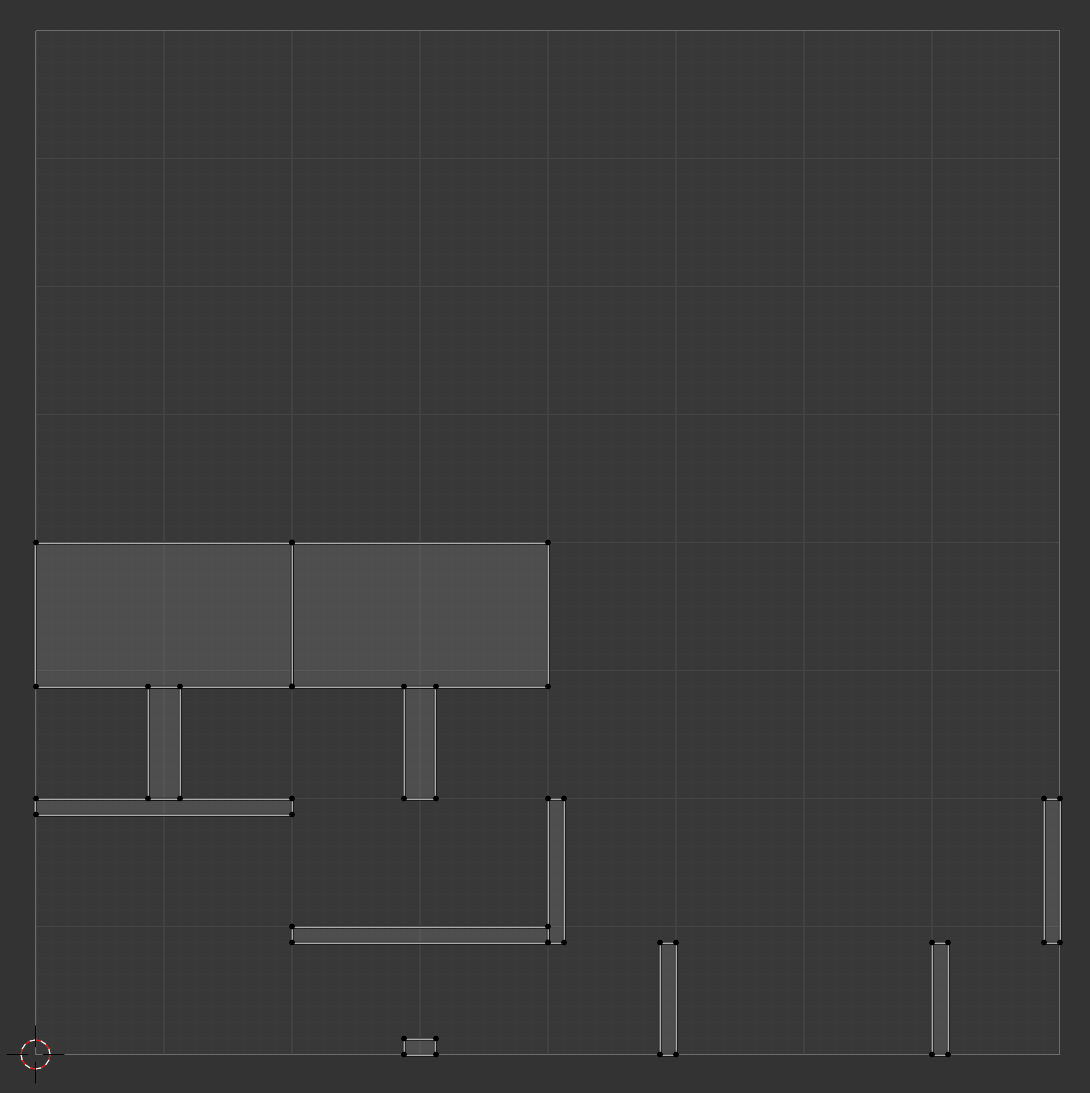
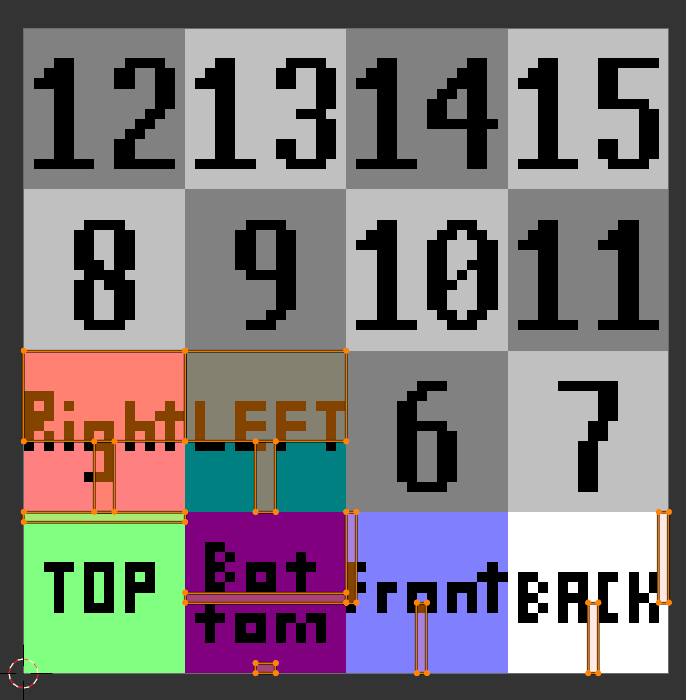
List of Texture Fields
| Direction suffix fields | Index suffix fields |
|---|---|
texture_top |
texture0 |
texture_bottom |
texture1 |
texture_front |
texture2 |
texture_back |
texture3 |
texture_right |
texture4 |
texture_left |
texture5 |
texture6 |
|
texture7 |
|
texture8 |
|
texture9 |
|
texture10 |
|
texture11 |
|
texture12 |
|
texture13 |
|
texture14 |
|
texture15 |
Alongside dedicated slots listed above, there is also texture (no suffix) field which is applied to all faces.
Configuring textures and models
To set block the texture, you need to reference it through its ID.
Texture IDs always start with name of your addon, followed by colon and relative path to the texture inside blocks/textures/ directory of your addon.
For example, Cubyz contains sign texture oak.png file in cubyz/blocks/textures/sign/oak.png, thus its ID will be cubyz:sign/oak.
To set a model in block *.zig.zon configuration file, you have to reference it using its ID.
Model IDs always start with name of your addon, followed by colon and relative path to the model inside models directory of your addon.
For example, Cubyz contains sign.obj file in cubyz/models/sign/side.obj, thus its ID will be cubyz:sign/side.
You are allowed to reference models and textures from base game / other addons (as long as they are installed) by using correct IDs to do so.
Example
Workbench is a cube block with differnet texture on each side. See contents of workbench.zig.zon configuration file
below: